- 2026-07-02
- by LethaldiranMX
- Trends
- 0 Comments
LethaldiranMX Insight
PicPoints addresses one of the most persistent headaches in WordPress front-end development: the tendency for interactive image maps and floor plans to break under the weight of theme CSS overrides and heavy script payloads. By rendering interactive elements within an isolated Shadow DOM, it provides a highly stable, performant environment for complex vector shapes, multi-level floor plans, and shoppable lookbooks. This architectural choice makes it an exceptional tool for real estate portals, e-commerce stores, and agency developers who require pixel-perfect, responsive hotspot layouts that remain resilient across core updates.
Best Fit & Operational Role: This plugin is best suited for WordPress developers, real estate marketers, and e-commerce operators who need to display complex spatial data—such as architectural blueprints, interactive seating charts, or product anatomy breakdowns—without degrading site performance. It fits cleanly into the presentation layer of the WordPress stack, solving the classic operational problem of fragile, absolute-positioned hotspot layouts that break on mobile viewports. By utilizing a Figma-like SVG vector editor directly in the dashboard, it bridges the gap between design and implementation, allowing content editors to manage interactive layers without breaking the underlying layout.
Potential Limitations & Pitfalls: While the Shadow DOM architecture guarantees visual consistency by isolating styles, it also means that global theme CSS cannot easily style the tooltips or popups, requiring developers to write custom styles specifically targeted inside the shadow root or rely entirely on the plugin’s built-in styling controls. Additionally, while the plugin is optimized for up to 1,000 vector shapes, high-resolution background images combined with heavy SVG paths can still impact mobile rendering performance and initial page load times if not properly optimized. Finally, the free tier is strictly capped at three maps and ten layers per scene, making the premium version practically mandatory for any commercial or medium-scale production deployment.

Best WordPress interactive image map plugin to create responsive floor plans, shoppable lookbooks, SVG vector shapes, and clickable photo hotspots.
🏆 The Best Interactive Image Map and Floor Plan Builder Plugin for WordPress
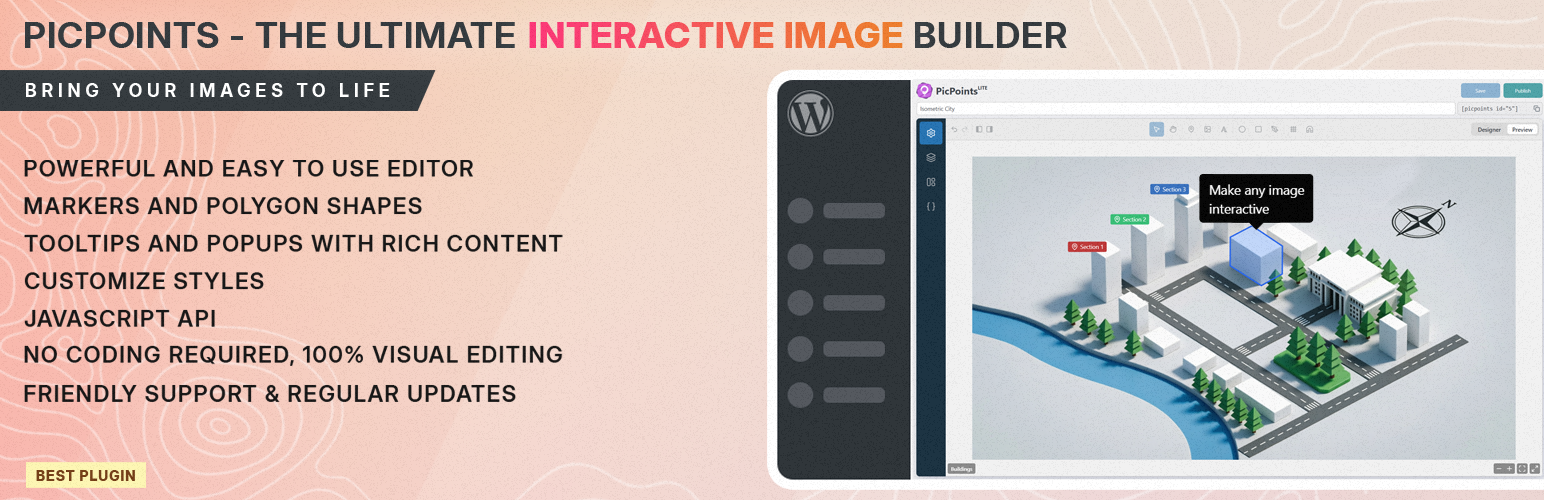
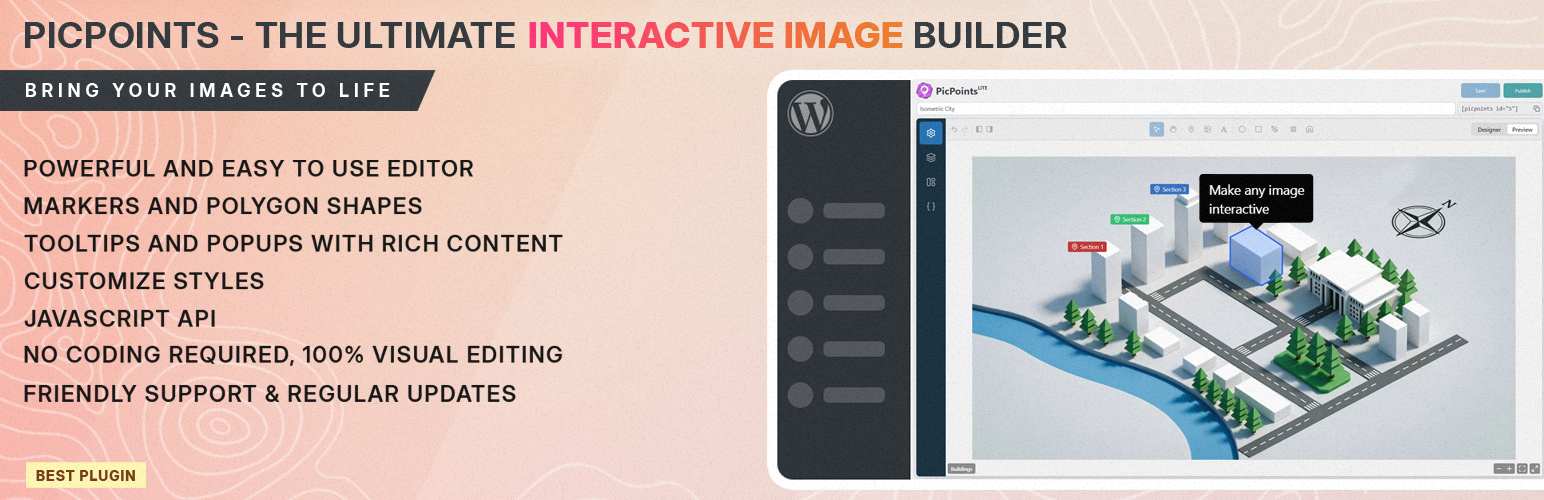
PicPoints is the most advanced, developer-friendly interactive image map and floor plan builder for WordPress. Built for extreme performance and modern web standards, this hotspot plugin handles hundreds of interactive elements effortlessly without lagging your website.
Unlike traditional image mapping tools that break during WordPress theme updates, PicPoints renders entirely inside an isolated Shadow DOM. This guarantees 100% CSS and JS isolation, your theme’s styles will never break your interactive maps, and your maps will never slow down your site page speed.
Whether you need to build a multi-story real estate floor plan, an interactive product anatomy showcase, a shoppable e-commerce lookbook, or a vector-accurate event seating chart, PicPoints provides a Figma-like SVG vector editor right inside your WordPress dashboard.
Draw complex clickable image shapes with pixel-perfect accuracy using native Bezier curves, group layers, and create rich-content popups and tooltips in minutes.
🚀 Key Features of PicPoints Interactive Map Plugin:
- Isolated Shadow DOM Architecture: Zero CSS conflicts with your WP theme. 100% visual consistency on any website.
- High-Performance Image Mapping: Hardcore optimization tested with up to 1,000 active vector shapes on a single canvas.
- Pro-Grade SVG Vector Editor: Draw ellipses, rectangles, markers, and custom polygons with smooth Bezier curves.
- Multi-Scene & Multi-Level Floor Plans: Perfect for real estate marketing (Floor 1, Floor 2, Floor 3) and complex architectural blueprints.
- Figma-Like Layer Management: Group, rename, and organize your vector shapes, pointers, and markers hierarchically.
- Fully Responsive Clickable Images: Adapts flawlessly to mobile devices, tablets, and desktops with smart touch and zoom controls.
- Rich Tooltips & Hotspot Popups: Trigger automated tooltips on hover or open rich-media popups (images, text, WooCommerce products, iframes) on click.
🔥 Features
PicPoints Free is the perfect interactive image map tool for small projects and testing. PicPoints Pro unlocks the full potential for professional web development agencies, e-commerce stores, and realtors.
PicPoints Free – General Features
⚡ Number of maps: Max 3
⚡ Number of scenes (levels) per map: Max 3
⚡ Number of interactive layers/markers per scene: Max 10
✅ Markers: non-scalable pins (icon + text or image) with custom anchor point positioning.
✅ SVG Layers: rectangles, ellipses, images, text (with left/center/right alignment), and polygons.
✅ Smart Undo/Redo History: full history stack to undo/redo changes for scenes & layers.
✅ Mobile Responsive: perfect adaptation to any screen size.
✅ Touch Gestures: supports mobile pan & pinch multi-touch zooming.
✅ Standard Tooltips & Popups (Auto-close enabled)
✅ Flexible tooltip positions: top, bottom, left, right, center, follow
✅ Strict Pan & Zoom behavior
✅ Change viewport & scene background, can be color or image
PicPoints Free – Widgets
✅ Scene Title
✅ Scene Navigation Dots
✅ Scene Navigation Switcher
✅ Fullscreen Toggle
✅ Fit to Screen Action
✅ Zoom Controls (+/-)
PicPoints Pro includes everything from Free, plus:
✅✨ Unlimited Maps, Scenes, and Layers for enterprise-scale projects.
✅✨ Import layers from SVG import <g> and <path> vector elements from Illustrator or Inkscape with automatic layer tree and partial style retention.
✅✨ Auto-Load toggle map auto-loading on/off or configure a custom delay timer to optimize website page load speed.
✅✨ Greeting dialog show message before map load.
✅✨ Bulk Attribute Editing select multiple layers or groups at once to edit, update, or assign common custom metadata.
✅✨ Advanced Handlebars Templates use classic Handlebars logic ({{variable}}, {{#if}}, {{#each}}) inside Tooltips and Popups to build highly dynamic, data-driven layouts without coding.
✅✨ Physics-Based Canvas Bounce advanced configurations for a smooth viewport experience.
✅✨ Custom JS & CSS Sections per map and per element for infinite extensibility.
✅✨ Developer API Access to connect your interactive maps with external CRM, WooCommerce, or custom databases.
✅✨ Priority email support for agencies and businesses that need fast help.
Note: The undo/redo history covers all scene or layer movements and visual style modifications. Rich content formatting changes inside tooltips and popups bypass the history stack.
🚀 Compatibility
Not all themes and plugins are built the same way, so PicPoints is designed with extra compatibility in mind. PicPoints works seamlessly with modern WordPress themes and popular page builders that support standard blocks and shortcodes.
PAGE BUILDERS
* Gutenberg – modern built-in WordPress block editor
* Classic Editor – classic built-in WordPress editor
* Elementor – leading website builder platform on WordPress
* WP Bakery – create any layout with intuitive way
* Beaver – page builder you can trust with your business
* Bricks – amazing block editor with many templates
* Brizy – next-gen website builder that anyone can use
* and more…
🎓 Use Cases
PicPoints serves as a lightweight, modern, and high-performance alternative to established WordPress interactive mapping plugins like Mapplic, ImageMap Pro, MapSVG, WP Draw Attention, Image Hotspot by DevVN, and Vision.
With PicPoints, you can easily visually outline complex geometries, group interactive elements, and embed shoppable lookbooks or interactive architecture maps via a simple shortcode.
The plugin balances intuitive usability for non-technical users with rich customization and advanced Developer APIs for design agencies, making it the ultimate tool for boosting on-site conversion and spatial user engagement without slowing down your WordPress website.
💼 GDPR & Privacy
- We do not collect or store any information about our visitors or users without their consent.
- We also do not transfer any data to external servers without users’ consent.
🔥 Check out our other WordPress Plugins
HappyVR – virtual tour builder and 360 panorama viewer for WordPress
MediaCommander – bring folders to media, posts, and pages
NinjaDraw – create diagrams, sketches & visual workflows
Post Order Master – free drag & drop hierarchy manager
Support
Found an issue or have a feature request? Head over to our support forum or drop us an email for assistance. We’re here to help you create stunning floor plans and image maps with ease!
Editorial note: This overview combines WordPress.org official plugin metadata with an AI-assisted LethaldiranMX editorial review. Plugin data should be verified on the official WordPress.org listing before installation.