- 2026-08-10
- by LethaldiranMX
- Trends
- 0 Comments

LethaldiranMX Insight
Vanquish Upload Files for WooCommerce addresses a critical operational bottleneck for print-on-demand and bespoke e-commerce stores by integrating file collection directly into the transactional flow. By enabling uploads across key touchpoints—from individual product pages to block-based checkout layouts—it eliminates the friction of post-purchase email coordination and ensures asset-to-order integrity. The inclusion of validation rules, real-time progress bars, and file previews in the free tier provides a surprisingly robust foundation for custom order workflows.
Best Fit & Operational Role: This plugin is an ideal fit for print shops, personalized merchandise creators, and digital service agencies operating on WooCommerce. It functions as a specialized data-ingestion layer within the WordPress stack, bridging the gap between customer assets and order fulfillment. Operationally, it solves the chaotic problem of matching external files to specific database orders, automating validation (such as file size and dimensions) before the transaction is even completed, which significantly reduces administrative overhead.
Potential Limitations & Pitfalls: Storing high-resolution print files directly on your web server can rapidly exhaust disk space and impact hosting performance; migrating to the Premium tier’s cloud storage integrations (S3, Dropbox, Google Drive) is practically mandatory for high-volume stores. Additionally, developers should note the integration of Freemius for licensing and updates, which introduces external telemetry and a minor administrative footprint. Beyond these architectural considerations, no critical performance bottlenecks or security risks were identified based on available information.

Let customers upload files on the product, cart, checkout and order pages — for custom, personalized and print-on-demand products.
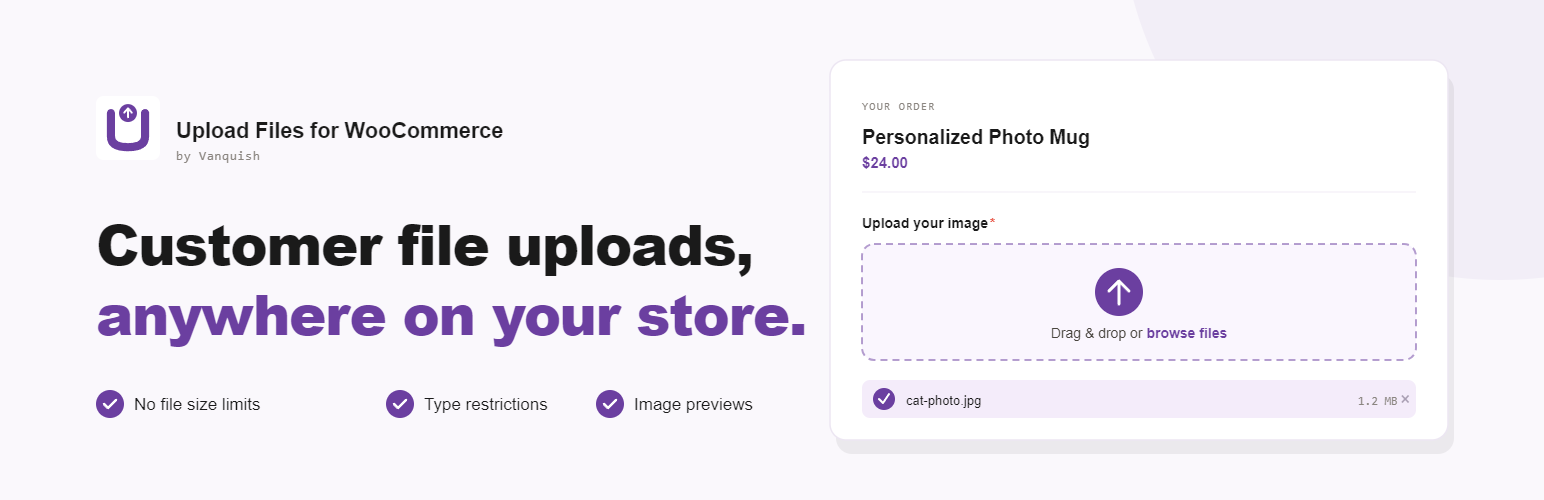
Vanquish Upload Files for WooCommerce lets you collect files from your customers — logos, artwork, documents, photos — exactly where you need them: on the product page, in the cart, during checkout, or on the order details page.
Whether you run a print shop, a personalization service, or any store that sells custom products, this plugin makes it effortless for customers to provide the input you need to fulfil their orders, with a clean upload experience and a real-time progress bar.
Why store owners choose it
- Receive uploads bound to each order — no more chasing files over email.
- Show upload fields exactly where they make sense: product, cart, checkout, order pages.
- Make uploads required so customers can’t order without providing their files.
- Restrict by file type, size and image dimensions.
- Get notified by email the moment a customer uploads a file.
- Fully translatable, WPML-ready.
What’s included for free
What the free version includes:
- Multiple upload fields per product
- Single file per upload field
- Display on product, cart, checkout and order pages (classic and block-based cart & checkout)
- Individual products — add the same product multiple times with distinct uploads
- Required-upload enforcement (blocks add-to-cart / checkout)
- File type, size and dimension restrictions
- Admin email notifications
- Upload progress bar, file delete, image/audio/PDF preview
- WPML-ready translatable button texts
Premium features
The Premium version, distributed separately, adds:
- Multiple files per upload field — let customers attach several files to a single field
- Image crop editor with rotation and aspect-ratio control
- Extra costs & discounts per uploaded file — fixed or percentage
- Per-second (audio/video), per-file-size and per-PDF-page overcharge
- Set the product price by the number of uploaded files
- Cloud storage: Dropbox, Amazon S3 and Google Drive
- Approve / reject uploaded files with customer feedback
- Visibility rules by product, category, user role, order status, payment gateway, shipping method and time
- Display last order upload fields on the My Account dashboard
- Advanced shortcodes to place upload forms anywhere
- Priority support and updates
External services
This plugin connects to the following third-party services.
Freemius — Used to deliver plugin updates, manage the optional Premium license, and (only if you opt in) collect anonymous usage data to help improve the plugin. Your site URL and basic environment information are sent to Freemius when you activate the plugin, check for updates, or activate/deactivate a license. Provided by Freemius, Inc.
Terms of Service: https://freemius.com/terms/
Privacy Policy: https://freemius.com/privacy/
Cloud storage (Premium only) — The free version stores uploaded files on your own server and uses no external storage. If you enable a cloud storage destination in the Premium version, the files your customers upload are sent to the storage account you configure, and only at the moment an order is created (when the customer reaches the order-received/thank-you page, or uploads files on the thank-you or order details page). Files are never sent before an order exists. Available providers and their policies:
- Dropbox — Terms: https://www.dropbox.com/terms — Privacy: https://www.dropbox.com/privacy
- Amazon S3 (AWS) — Service Terms: https://aws.amazon.com/service-terms/ — Privacy: https://aws.amazon.com/privacy/
- Google Drive — Google APIs Terms: https://developers.google.com/terms — Privacy: https://policies.google.com/privacy
Editorial note: This overview combines WordPress.org official plugin metadata with an AI-assisted LethaldiranMX editorial review. Plugin data should be verified on the official WordPress.org listing before installation.