- 2026-09-16
- by LethaldiranMX
- Trends
- 0 Comments

LethaldiranMX Insight
TranslateRocket introduces a highly disruptive, cost-effective paradigm to the WordPress multilingual landscape by leveraging client-side browser translation engines and direct API integrations to bypass traditional SaaS subscription models. This plugin is an exceptional tool for developers and site owners who want to escape the recurring costs of services like Weglot or WPML while maintaining full control over their translation database. By facilitating seamless, non-destructive migrations from almost every major translation plugin, it serves as a risk-free bridge to a self-hosted, highly customizable localization workflow.
Best Fit & Operational Role: This plugin is best suited for agencies, freelance developers, and SMBs managing content-heavy sites where traditional per-word translation APIs would be cost-prohibitive. It fits into the WordPress stack as a lightweight, database-friendly localization layer that can be staged alongside existing translation plugins without breaking production layouts. Operationally, it solves the vendor lock-in problem, allowing teams to bootstrap translations using local browser engines and then selectively refine copy using their own API keys for DeepL or LLMs like Claude and GPT-4.
Potential Limitations & Pitfalls: While the local browser-driven translation is highly innovative, it relies on client-side capabilities that may yield inconsistent stylistic results compared to fine-tuned translation models, requiring manual editorial oversight. Additionally, transitioning to high-quality machine translation introduces configuration complexity, as administrators must securely manage their own third-party API keys (OpenAI, Anthropic, DeepL) and monitor external usage costs directly.

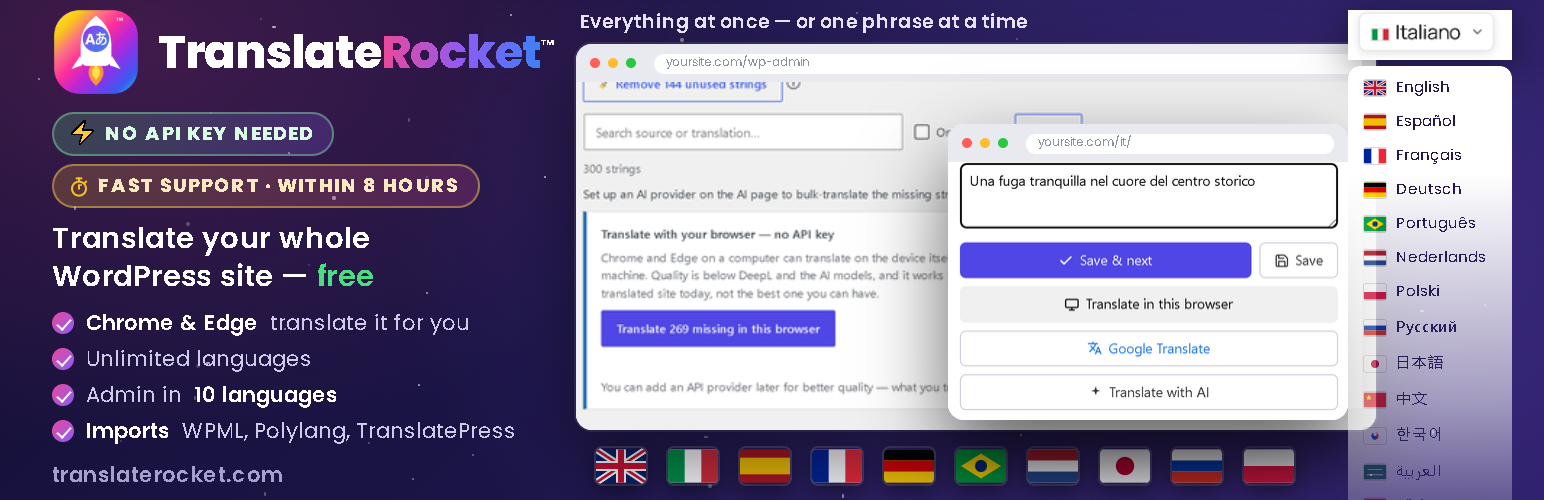
Translate your whole site with no API key — Chrome and Edge do it on your own computer. Unlimited languages, free, no paid tier.
TranslateRocket makes your site multilingual, and everything it does is free. No word limits, no charge per language, and nothing switched off to push you towards an upgrade — it is not a trimmed-down version of a paid plugin.
Already using WPML, Polylang, TranslatePress or Weglot? Try TranslateRocket next to it — your site does not change. Activate it alongside your current translation plugin: visitors keep seeing exactly the same site, while you import your translations, complete them and preview any page in any language as an administrator. When you are convinced, deactivate the old plugin and put TranslateRocket online with one click. Nothing of the other plugin is deleted, and switching it back on takes you straight back to where you started.
You do not need an API key at all. Chrome and Edge on a computer carry a translator that runs on the device itself, and TranslateRocket can drive it: install the plugin, pick your languages, press one button and the site is translated. It costs nothing, needs no account, and the text never leaves your machine. It is the fastest way to a translated site. When you want fluent, idiomatic copy, the same pages can go through DeepL or an AI model with your own key (OpenAI, Anthropic, Gemini — you pay the provider directly), through ChatGPT or Gemini with a ready-made prompt at no cost, or through your own hands, line by line — and everything already translated is kept, so nothing is ever done twice.
Switching from another translation plugin? Your existing translations come with you. One click imports everything you have already paid for or typed by hand — from TranslatePress, Polylang, WPML, Weglot, qTranslate (X and XT), WPGlobus, WP Multilang, Bogo, Multilanguage by BestWebSoft and Loco Translate, plus CSV and TMX for anything else. Most are read straight from the tables, the posts or the files, so the import still works after the other plugin has been deactivated or even deleted — which is the usual state of a site that is moving on.
It detects translatable text as you browse — visible text, link titles, image alt, placeholders, ARIA labels, page titles, meta descriptions and the social preview tags a SEO plugin adds (Open Graph, X) — and serves each language under its own clean URL prefix (/it/, /de/), friendly to SEO and to page caches.
You translate however you like:
- 🆓 In your browser, with no key — Chrome and Edge translate the whole page, or the whole site, on the device itself. Nothing to sign up for, nothing to pay, nothing sent anywhere. Available both on the live page and on the bulk screen.
- 🖱️ On the live page — switch on the visual editor and click any text to translate it in a small, draggable popup, with Previous/Next, a progress bar and a “skip already-translated” mode.
- 🆓 Free with Google Translate (no key) — every field has a link that opens Google Translate prefilled, so you translate for free on Google’s own site and paste the result back.
- ✍️ By hand, in a clear per-page editor (also inside the post/page screen) with red highlighting for what’s still missing — plus a copy & paste box for bulk Google translation.
- 💬 With ChatGPT or Gemini, no key — one button copies the whole page with a translation prompt written for your site; paste the answer back and every line goes to its place.
- 🤖 With AI — bring your own key for DeepL, OpenAI, Google Gemini, Anthropic (Claude) or Google Cloud Translate. Text is sent only to the provider you choose, only when you ask.
Highlights
- 🔑 No API key required — and not just “by hand”. Chrome and Edge translate the whole site automatically, on your own computer, for free. Or do it by hand in the visual editor, or free with Google Translate, and edit any translation later. There is no signup, no account and no key to create — AI providers are optional and only used if you add one yourself.
- 🌍 Unlimited languages (36 built in), 100% free. Donations welcome, never required.
- ⚡ Built for huge sites: past ~20,000 strings the engine switches by itself to indexed per-page lookups — flat memory and the same render time at 500 or 500,000 strings (load-tested), where map-loading translation plugins hit the PHP memory limit.
- 🖱️ On-page visual editor: click text to translate it in a draggable popup — no admin round-trips.
- 🧩 Interface too: translates theme & plugin interface strings, not just page content.
- 🔗 SEO-ready URLs: translated slugs (e.g.
/it/chi-siamo/) andhreflangtags. - 🔍 One SEO panel with everything in it: open a page in the visual editor and the SEO panel lists, in order, the translated address, the page title, the meta description, the social preview (Open Graph and X), the keywords, then every image on the page and every translatable attribute — titles, placeholders, ARIA labels. Each line takes you straight to that element on the page and opens the right editor, so nothing search engines read is left in the source language by accident.
- 🚦 Per-page visibility: if a page has no equivalent in a language, redirect it, show a custom message, or 404 — per page, per language.
- 🎌 Flexible language switcher as a shortcode
[translaterocket_switcher], a Gutenberg block, or a widget — inline, dropdown, or a scrollable bar with ‹ › arrows for many languages — with original SVG flags that render everywhere (including Windows). Show a switcher on desktop only, on mobile only, or both, to style a different menu for each. - 📥 One-click import from ten other plugins — TranslatePress, Polylang, WPML, Weglot, qTranslate (X and XT), WPGlobus, WP Multilang, Bogo, Multilanguage by BestWebSoft and Loco Translate — plus CSV and TMX for everything else. Read straight from the tables, the posts or the
.pofiles, so it works even when the other plugin is gone. - 🖼️ A different image for each language — swap any picture for a translated one: switch on the visual editor, click the button on the image and pick another from your media library. For text baked into a picture, a screenshot of your own interface, or a photo that only makes sense in one country.
- 🎯 Different content and menus per language — show a paragraph, a block or a menu item only in some languages: with a shortcode, a class on any block, or a checkbox in Appearance Menus.
- 🛒 WooCommerce aware: product and category slugs per language, the AJAX mini-cart and JS strings translated too, and customer emails rendered in the language the order was placed in.
- 👀 Preview mode: review new translations or a fresh import on the real pages while visitors still see the default language — publish with one click when ready.
- 🚦 Add a language now, publish it when it is ready: each language has a switch — green and your visitors see it, grey and only you do. While it is offline it stays out of the switcher, out of your sitemap and out of the
hreflangtags, and its URLs send visitors to your default language, while you keep working on the real pages. Nothing half-translated ever reaches your visitors or Google. - 📂 Built for scale: searchable, sortable page list for sites with hundreds of pages.
- ✅ You stay in charge — every machine translation can be reviewed and edited by hand. Translations live in your own database.
Languages
Translate your site into the languages your visitors actually speak: Spanish, French, German, Italian, Portuguese and Brazilian Portuguese, Dutch, Polish, Russian, Ukrainian, Turkish, Romanian, Greek, Arabic, Hindi, Indonesian, Vietnamese, Thai, Chinese, Japanese, Korean — 36 languages ship built in, and you can add unlimited custom ones (any language code works). The plugin’s own admin interface is translated into nine languages besides English: Japanese, Spanish, German, French, Brazilian Portuguese, Italian, Dutch, Russian and Polish.
Need a hand with your site?
I can do it for you. I am the developer of TranslateRocket, and I also build and translate WordPress sites for a living: a new multilingual site from scratch, an existing site taken from one language to ten, a migration away from a paid plugin, or a stubborn theme that will not translate. You get the person who wrote the engine, not a support queue.
The plugin stays free either way — nothing here is locked behind that. Write to me from the “Help & Feedback” screen inside the plugin, or from https://translaterocket.com/support/ .
External services
This plugin can connect to third-party services, but only with your involvement:
- AI translation providers (optional). If you add an API key and ask to translate, the relevant text is sent to the provider you selected so it can return a translation. No text is sent until you configure a provider and trigger a translation. Providers and policies:
- DeepL — service: https://www.deepl.com/en/pro , privacy: https://www.deepl.com/en/privacy
- OpenAI — service: https://platform.openai.com , privacy: https://openai.com/policies/privacy-policy/
- Google Cloud Translation / Gemini — service: https://cloud.google.com/translate , privacy: https://policies.google.com/privacy
- Anthropic (Claude) — service: https://www.anthropic.com , privacy: https://www.anthropic.com/legal/privacy
- Google Translate (manual, always available). Every editor offers a per-phrase link and a copy-paste box that open Google Translate (translate.google.com) prefilled, so you translate on Google’s own site and paste the result back. This is just a convenience link — your browser, not the plugin, contacts Google. Service: https://translate.google.com , terms: https://policies.google.com/terms , privacy: https://policies.google.com/privacy
- Optional one-click Google auto-fill (off by default). A site owner can opt in (the
TRROCKET_AUTO_GOOGLEconstant / thetrrocket_auto_googlefilter) to let the server fetch a translation from Google’s free endpoint with one click. This uses an undocumented endpoint and is best-effort, so it is disabled out of the box and the plugin never calls it on its own. For dependable automatic translation use the official AI providers below. - translaterocket.com support ticket (optional, on request). The Diagnostics screen has a form that opens a support ticket for you. It sends nothing until you fill it in and press Send, and what it sends is exactly what the page shows you: your name, your email address (so the answer can reach you), your subject and message, your site address and the plugin version, plus the technical report if you leave that box ticked. The report never contains API keys. To prove the request really comes from your site and not from a spam robot, the support site then makes one request back to your site’s home URL with a one-time token. Nothing else is transmitted, nothing is stored on your site, and if you would rather not use it the same page still offers the copy-and-paste route. Service: https://translaterocket.com , privacy: https://translaterocket.com/privacy-policy/
- translaterocket.com (optional). The “Help & Feedback”, “Request customization”, “Send feedback” and “Get tips & updates” links open translaterocket.com in your browser with your site’s domain in the URL. Nothing is sent automatically — these are links you choose to click. Service: https://translaterocket.com , privacy: https://translaterocket.com/privacy-policy/
Editorial note: This overview combines WordPress.org official plugin metadata with an AI-assisted LethaldiranMX editorial review. Plugin data should be verified on the official WordPress.org listing before installation.