- 2026-10-06
- by LethaldiranMX
- Trends
- 0 Comments

LethaldiranMX Insight
Writrex Lite represents a significant shift in WordPress AI integration by moving beyond simple content generation into autonomous site auditing and execution via its “Ask Writrex” agent. By leveraging the user’s own Google Gemini API key, it offers a cost-effective, highly contextual SEO assistant that can analyze live page layouts, metadata, and media libraries to propose actionable changes. The implementation of a “change card” approval system with one-click rollbacks addresses a major pain point in AI automation, giving administrators granular control over automated edits. This makes it an incredibly powerful tool for agency developers and site owners who need to scale local SEO landing pages and micro-optimizations without losing editorial oversight.
Best Fit & Operational Role: This plugin is an excellent fit for freelance developers, agency site managers, and local business owners managing multi-location SEO campaigns. It sits comfortably alongside major SEO suites like Yoast, Rank Math, or SEOPress, acting as an intelligent execution layer rather than a replacement. By automating repetitive tasks like missing ALT text generation, meta description writing, and local landing page creation, it solves the operational bottleneck of manual site audits and content scaling, turning hours of tedious SEO maintenance into a streamlined approval workflow.
Potential Limitations & Pitfalls: While the bring-your-own-key model keeps ongoing software costs low, users must monitor their Google Gemini API usage and potential latency during full-site scans. Because the AI agent reads live page outputs, menus, and CSS, large-scale sites may experience minor performance overhead during active scanning sessions. Additionally, while the one-click rollback system mitigates risk, granting an AI agent write access to database fields—even with approval steps—requires strict administrator vigilance to ensure generated content aligns with brand guidelines and does not inadvertently disrupt complex page builder layouts.

AI local SEO pages, plus Ask Writrex: an AI agent that reads your whole site, finds SEO problems and fixes them once you approve.
Writrex Lite builds complete local SEO landing pages and blog posts inside WordPress, using your own Google Gemini API key. And with version 1.2.0 it gets an AI agent that lives inside your dashboard: Ask Writrex.
New in 1.2.0: Ask Writrex, your AI agent inside WordPress
Ask Writrex is an AI assistant that actually knows your site. Ask it a question in plain English and it reads your pages, posts, images, menus, SEO fields and the live pages your visitors see, then explains what it found and offers to fix it. Every fix arrives as a change card with a clear before-and-after preview. Nothing on your site changes until you press Apply, and every applied change can be undone with one click.
Ask it things like:
- “Analyze my whole site and show me the most important SEO issues.”
- “Why is the Home page missing a meta title? Fix it.”
- “Fix the missing ALT text on this page.”
- “Make the phone number clickable everywhere on the site.”
- “Make the header buttons rounded.”
- “Give me five blog ideas that don’t overlap what I’ve already written.”
What Ask Writrex can look at
- Your whole site at a glance: theme, SEO plugin, page builders, content counts and the latest SEO report score
- Any page or post: SEO title and description, headings, images and ALT text, links, word count and block layout
- The live page exactly as a visitor sees it, including headings and SEO tags printed by your theme, so it works from evidence rather than guesses
- Your media library, menus and Additional CSS
- A full SEO scan of your site, run on request
What Ask Writrex can change (always with your approval)
- SEO title, meta description, focus keyphrase and canonical URL, written into Yoast SEO, Rank Math, All in One SEO, SEOPress or The SEO Framework (or printed by Writrex if you have no SEO plugin)
- Image ALT text
- Page title, excerpt, slug and featured image
- An exact piece of page text, a single block, or a heading’s wording and level
- Links: re-point or remove links to an address across a page
- Phone numbers and email addresses: turn plain text into clickable links
- Site styling through Additional CSS (unsafe CSS is refused)
- New draft posts and pages, which are never published without you
Built to be safe
- The agent can only suggest. Applying a change always takes your click, on a separate, permission-checked step
- Before applying, Writrex checks the page hasn’t changed since the suggestion was made, so it never overwrites newer edits
- One-click Undo on every change, with WordPress revisions kept for content edits
- Change History shows every change made through Ask Writrex, who approved it and when
- A change that would leave a page with no H1 heading is refused outright
- Pages built with Elementor, Divi, WPBakery and other builders are detected, and edits that could break their layout are not offered
- It never edits PHP, theme files, plugins or the database directly
- Respects WordPress roles: people can only approve changes they are already allowed to make
- Instructions hidden inside your site content are treated as data and ignored
A pleasure to use
- Full-screen chat with saved conversations, search, rename and delete
- A floating Ask Writrex button on every admin screen, including the block editor, with an optional button on your website that only logged-in users with access can see
- Answers stream in as they are written, with Stop, Regenerate and Edit
- Choose your Gemini model and how hard it thinks (effort)
- Preview on site lets you see a change on the real page before you apply it
- Export any chat as Markdown, or copy it straight into another AI tool
New in 1.2.0: SEO Reports
Scan your site for essential SEO problems: missing, too long or too short SEO titles and meta descriptions, missing or doubled H1 headings (checked against the live page), skipped heading levels, missing ALT text, thin content, broken internal links, links to unpublished pages, pages hidden from search or pointing their canonical elsewhere, and phone numbers or emails that aren’t clickable. Each report is saved with a site score, and every issue has a Fix with Ask Writrex button that opens a chat ready to sort it out.
Local SEO pages and blog posts
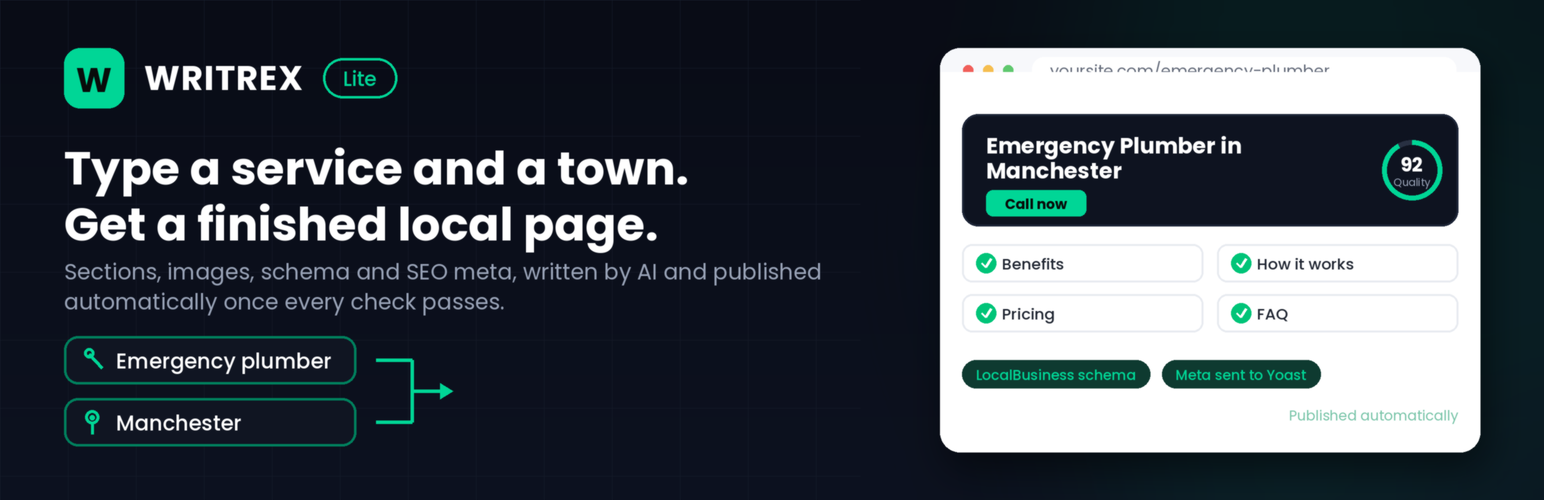
Enter a service and a location, and about ninety seconds later you have a complete page on your site: headings and sections, a featured image, structured data, internal links to your other pages, and the meta title and description already written into Yoast, Rank Math or All in One SEO. Every page is checked against Writrex’s own quality and content requirements as soon as it’s generated. New pages are saved as drafts for you to review by default. Choose “Publish Immediately” on the form and a page that passes the checks goes live straight away, while one that falls short on something important is held back as a draft so you can fix it and publish it yourself, or publish it as-is if you’d rather ignore the warning.
You bring your own Google Gemini API key. There is no subscription, no credit system and no usage cap inside the plugin. Generate as many pages and posts as your own Gemini quota allows.
What it does
- Local landing pages: a service plus a town becomes a full page with hero, benefits, process, checklist, pricing panel, case study, FAQ and a closing call to action
- Choose your sections: switch any of those six optional sections off per page when a page does not need them
- Blog posts: long-form posts with control over tone, audience, length and reading level, plus optional FAQ and CTA blocks
- Editor buttons: generate and rewrite inside the Classic editor, the block editor and Elementor, on any content, not just pages Writrex made (switch on in Settings)
- Metadata written for you: titles, descriptions and focus keyphrases pushed straight into Yoast SEO, Rank Math or All in One SEO
- Structured data: Service, FAQPage, BreadcrumbList and WebPage schema, plus LocalBusiness details from your contact information
- Quality scoring: every page is scored on readability, structure, specificity and repetition. Pages are saved as drafts by default; if you choose to publish immediately, pages that pass go live and pages that fall short are held back as a draft for you to review
- Overlap guard: warns you before creating a page that would compete with one you already have
- Internal linking: generated pages link to each other, plus a
[writrex_related_pages]shortcode to build a hub page - Bulk Meta Fixer: finds generated pages with weak or missing metadata and rewrites it, with undo
- Color Customizer: match every generated page to your own palette
- Images: Pexels, Unsplash, Pixabay and Magnific (formerly Freepik) for stock, Gemini (Nano Banana) and Pollinations for AI generated, with fallback between them
- AI Visibility: choose which AI crawlers (GPTBot, ClaudeBot, PerplexityBot, Google-Extended and others) may read your site, publish your schema in one feed for AI answer engines, and optionally log which AI bots actually visit
Built for local SEO, not for spam
Bulk-generated location pages earn a bad reputation when they are one page with the town name swapped. Writrex is built to avoid that. The Local Signals field feeds real facts about each area into the content, the overlap guard flags pages that would cannibalise each other, the quality checker scores specificity, and a mention cap stops the town name being repeated into nonsense. Used properly, you get pages worth ranking. The tools to tell the difference are in the plugin.
Bring your own API key
Writrex Lite uses Google Gemini. Gemini has a free tier for text and a key takes about a minute to create at Google AI Studio. Image providers are optional. Pexels and Pixabay are free for stock photos and Pollinations offers free AI images with a free account key. Gemini’s own image models are paid only (see the FAQ). A three-step setup wizard walks you through it on activation.
Writrex
Writrex is a separate plugin, sold at writrex.com, for running this at agency scale. It adds bulk campaigns and scheduling, WooCommerce product content, site-wide SEO auditing, link audits, Google Search Console integration, rank tracking, a content decay scanner, a template builder, reusable brand voice profiles, additional AI providers (including OpenAI and Claude models for Ask Writrex) and client reports.
Nothing in Writrex Lite is restricted, reduced, time-limited or disabled in order to sell it. Every feature listed above works in full, Ask Writrex included, with no license, no credits and no trial period.
External services
Writrex Lite connects to third-party services to write content and to source images. Google Gemini is required for content generation. Every other service is optional and is only used if you choose it in Settings. Nothing is contacted when the plugin is activated, and no service is contacted on the front end of your site: visitors’ browsers only load files from your own site. The plugin does not send anything to writrex.com, does not phone home and does not collect analytics.
Google Gemini API (required)
Provided by Google. Used to write all page and blog content, SEO titles and descriptions, FAQ answers and Bulk Meta Fixer suggestions, and optionally to create images with Gemini image models (Nano Banana), which need a billing-enabled key. Requests go to generativelanguage.googleapis.com.
Data sent, and when:
- When you generate a page or post: the keyword, location, business details (name, phone, address, contact URL), services, prompt settings and any custom instructions you entered on the form.
- When you use the editor buttons in the Classic editor, block editor or Elementor: the text you select or type and your instruction.
- When you run the Bulk Meta Fixer on a generated page: that page’s title, its focus keyword and location, and an extract of its content, so a new meta description can be proposed.
- When Gemini (Nano Banana) is your AI image source: an image prompt built from the page keyword and location.
- When a Gemini API key is saved and you open the Settings page, or press a Refresh button there: a request for the list of models available to your key. Only the API key is sent, and the list is cached for six hours.
- When you press a Test button in Settings: a short test prompt, to confirm the key and model work.
- When you send a message in Ask Writrex (the built-in AI agent): your message, the earlier messages in that chat, the site’s name and address, and the site information the agent looks up to answer (for example page titles, SEO titles and descriptions, headings, links, image file names and ALT text, menus, custom CSS and SEO report findings). Page text is included only if “Send page text to the AI provider” is on in Ask Writrex settings; turn it off to send structure only. When you use “Preview on site” or apply a change, nothing extra is sent. Private and draft content is never included unless you can edit it and ask about it. Nothing is sent until you send a message, and the agent never changes your site on its own: every change needs you to press Apply.
Your Gemini API key is sent with every request (Ask Writrex sends it in a request header). Terms of service: https://ai.google.dev/gemini-api/terms – Privacy policy: https://policies.google.com/privacy
Pexels (optional)
Provided by Pexels. Stock photo search, used only when Pexels is selected as an image source and a Pexels API key is saved. When a page or post is generated, the image search term (usually the keyword and location) and your API key are sent to api.pexels.com, and the chosen photo is then downloaded from images.pexels.com into your Media Library. Terms of service: https://www.pexels.com/terms-of-service/ – Privacy policy: https://www.pexels.com/privacy-policy/
Unsplash (optional)
Provided by Unsplash. Stock photo search, used only when Unsplash is selected as an image source and an Unsplash access key is saved. When a page or post is generated, the image search term and your access key are sent to api.unsplash.com, the chosen photo is downloaded from images.unsplash.com into your Media Library, and a download notification is sent to Unsplash for that photo, as the Unsplash API guidelines require. Terms of service: https://unsplash.com/terms – API terms: https://unsplash.com/api-terms – Privacy policy: https://unsplash.com/privacy
Pixabay (optional)
Provided by Pixabay. Stock photo search, used only when Pixabay is selected as an image source and a Pixabay API key is saved. When a page or post is generated, the image search term and your API key are sent to pixabay.com/api, and the chosen image is downloaded from Pixabay’s image servers into your Media Library. Terms of service: https://pixabay.com/service/terms/ – Privacy policy: https://pixabay.com/service/privacy/
Magnific, formerly Freepik (optional)
Provided by Freepik Company S.L.U., which rebranded Freepik as Magnific in 2026. Stock photo search, used only when Magnific is selected as an image source and a Magnific (or older Freepik) API key is saved. When a page or post is generated, the image search term and your API key are sent to api.magnific.com. For the one photo Writrex chooses, a download request is sent to api.magnific.com, as Magnific’s API rules require for every image that is used, and the photo is then downloaded from Magnific’s file servers into your Media Library. Terms of use: https://www.magnific.com/legal/terms-of-use – Privacy policy: https://www.magnific.com/legal/privacy
Pollinations (optional)
Provided by Pollinations.AI. AI image generation, used only when Pollinations is selected as your AI image source. An API key is optional for this service, so it can be used without one once you select it. When a page or post is generated, or you press its Test button in Settings, the image prompt (built from the page keyword and location, or your own custom image prompt), the requested image size and your site’s domain name (as the referrer Pollinations asks integrations to send) are sent to image.pollinations.ai. If you have saved a Pollinations API key, it is sent too. The generated image is saved into your Media Library. Terms of service: https://pollinations.ai/terms – Privacy policy: https://pollinations.ai/privacy
Editorial note: This overview combines WordPress.org official plugin metadata with an AI-assisted LethaldiranMX editorial review. Plugin data should be verified on the official WordPress.org listing before installation.