

• Home
  • Services
    • Col 1
      • Tech & Analytics
      • Web Development
      • Technical Audit
      • Analytics & Tracking
    • Col 2
      • Growth Marketing
      • SEO Strategy
      • SEM & PPC
      • Social Growth
    • Col 3
      • AI & Strategy
      • Al Search (GEO)
      • SEO Content
      • Growth Consulting
    • Col 4
      • Operations & CRO
      • Conversion (CRO)
      • AI Automation
      • Full-stack Ops
  • Projects
    • Strategies
    • Plugins
    • Extensions
    • Creatives
  • Insights
  • About
  • Contact
  • Chinese
    • English
FREE ANALYSIS
  • Home
  • Services
    • Col 1
      • Tech & Analytics
      • Web Development
      • Technical Audit
      • Analytics & Tracking
    • Col 2
      • Growth Marketing
      • SEO Strategy
      • SEM & PPC
      • Social Growth
    • Col 3
      • AI & Strategy
      • Al Search (GEO)
      • SEO Content
      • Growth Consulting
    • Col 4
      • Operations & CRO
      • Conversion (CRO)
      • AI Automation
      • Full-stack Ops
  • Projects
    • Strategies
    • Plugins
    • Extensions
    • Creatives
  • Insights
  • About
  • Contact
  • Chinese
    • English
FREE ANALYSIS
  • Home
  • Services
    • Col 1
      • Tech & Analytics
      • Web Development
      • Technical Audit
      • Analytics & Tracking
    • Col 2
      • Growth Marketing
      • SEO Strategy
      • SEM & PPC
      • Social Growth
    • Col 3
      • AI & Strategy
      • Al Search (GEO)
      • SEO Content
      • Growth Consulting
    • Col 4
      • Operations & CRO
      • Conversion (CRO)
      • AI Automation
      • Full-stack Ops
  • Projects
    • Strategies
    • Plugins
    • Extensions
    • Creatives
  • Insights
  • About
  • Contact
  • Chinese
    • English

OG Analytics

  • Home
  • Trends
  • OG Analytics
OG Analytics
  • 2026-10-15
  • by LethaldiranMX
  • Trends
  • 0 Comments
OG Analytics
LethaldiranMX Insight

OG Analytics provides a privacy-first, self-hosted telemetry engine designed to deliver real-time traffic tracking directly inside WordPress without relying on third-party services. By decoupling visit recording from full database queries through a lightweight file-based queuing system, it maintains low ingestion overhead while remaining fully compatible with front-end page caching. It is ideal for site owners, editorial teams, and privacy-conscious organizations requiring strict data sovereignty alongside immediate post-level performance insights.

Best Fit & Operational Role: This plugin serves as a first-party analytics engine for site administrators who want to eliminate external tracking scripts while keeping metrics close to their content creation workflow. It solves the operational drag of context-switching between external dashboards by placing real-time view counts, 404 monitors, and campaign attribution directly within the WordPress dashboard, admin bar, and block editor sidebar. It fits seamlessly into publishing platforms, corporate sites, and privacy-focused organizations seeking complete local control over visitor telemetry.

Potential Limitations & Pitfalls: Storing event data locally means that high-volume traffic will naturally increase database storage requirements over time, making database maintenance an operational factor despite the plugin’s daily summary aggregation logic. Additionally, hosting environments with overly restrictive file-write permissions or ephemeral file systems may disrupt the file-queue processing mechanism. Beyond these infrastructure considerations, none identified based on available information.

OG Analytics icon

Plugin Specification

WordPress.org Official Data

Developer onlygrow
Version v0.2.02
Active Installs 0 +
Requires / Tested 6.5 / 7.1.3
Last Updated 2026-10-15 3:36pm GMT
Official Link View Details ->
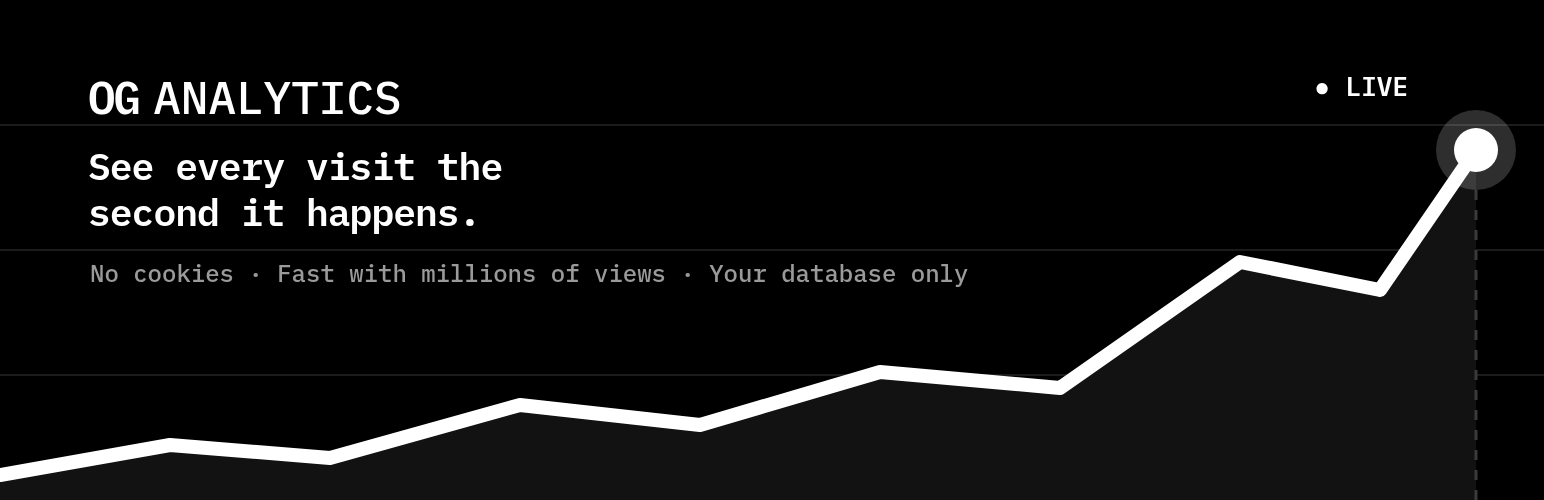
See every visit the second it happens — fast even with millions of views, and stored only in your own database.

OnlyGrow Analytics (OG Analytics) records how people use your site and keeps everything in your own WordPress database. Nothing is sent to a third party.

What it records

  • Page views, sessions and time on page — today’s numbers include the visits that just happened, no waiting for a cron.
  • Missing pages (404): which removed or mistyped addresses still get visits.
  • Traffic sources: referrers, UTM campaigns and click IDs (fbclid, gclid, ref).
  • Devices, browsers and operating systems.
  • Downloads, outbound links and custom events.
  • Bounce rate, daily totals and weekly/monthly retention.
  • A sortable “Views” column in your posts and pages lists.

What you see

  • A dashboard with the visits chart, today’s key numbers compared with the same time yesterday (or the previous period), visitors online, and the top pages, sources, devices and countries with a world map.
  • Reports for visitors, pages and entry pages, with filters.
  • Inside WordPress: the views of each post in the admin bar, a chart of the post in the block editor sidebar and a chart on the WordPress dashboard.

How it works

A small script (about 2 KB) sends each event to your own site, which queues it in a file and processes the queue in batches. Recording a visit does not load WordPress: it costs one file write, not a set of database queries. Because the script runs in the visitor’s browser, counting keeps working when pages are served from a cache.

Reports read daily summaries for past days and the raw data only for today, so they stay fast as your site grows. The processing adapts to traffic spikes on its own: nothing to configure.

Days and hours follow your site’s timezone (Settings → General). Speed testers such as PageSpeed and automated browsers are not counted.

Referrer spam and known bots are left out of your numbers out of the box: visits from more than 2,000 known spam sites (the public domain list maintained by the Matomo community) and from known bots are detected and kept apart, so they never inflate your statistics. The spam list ships inside the plugin and is updated with each release, so nothing is downloaded. You can view it, or choose to count these visits, in Settings → Exclusions.

You can also leave out content types, IP addresses and custom rules (Settings → Exclusions). Excluded visits are not saved.

Ad blockers often block addresses that contain words like “analytics”. With ghost mode (on by default, Track settings), the script and the address that receives visits use a neutral name unique to your site. Your data still never leaves your site.

Logged-in users are counted too, including you: visit your site and your own visit shows up right away, so you can check it works.

Privacy

All visitor data stays in your own database. No visitor data is ever sent to a third party.

  • Visitors are identified by a random ID kept in the browser’s local storage. No cookies are set by default.
  • The visitor’s IP address is stored without its last part (203.0.113.0) by default, as Google Analytics does. The country and city are found with the full address before it is stored, so nothing is lost. You can turn this off in Settings → Data → “Anonymize IP addresses”.
  • Browser fingerprinting is off by default.

External services

To show countries and cities, the plugin downloads the free IP to City Lite database from DB-IP (https://db-ip.com) once after activation and then once a month. The file is stored in your uploads folder and every lookup happens on your own server: no IP address is sent anywhere. Only the database file is downloaded; nothing about your site or visitors is uploaded.

  • Source: https://download.db-ip.com/free/
  • License: Creative Commons Attribution 4.0 (https://creativecommons.org/licenses/by/4.0/) — IP Geolocation by DB-IP (https://db-ip.com)
  • Terms and privacy: https://db-ip.com/legal
Editorial note: This overview combines WordPress.org official plugin metadata with an AI-assisted LethaldiranMX editorial review. Plugin data should be verified on the official WordPress.org listing before installation.

  • analytics,
  • page views,
  • privacy,
  • statistics,
  • UTM,
  • wordpress plugin
Next Post

Agrunert E-Rechnung for ZUGFeRD

Leave a Comment 取消回复

您的邮箱地址不会被公开。 必填项已用 * 标注

Categories

  • Thoughts (1)
  • Trends (1,243)
  • Tutorials (1)

Recent Posts

2026-10-15
OG Analytics
2026-10-14
Agrunert E-Rechnung for ZUGFeRD
2026-10-13
Rotascore Live Scores Widget
2026-10-12
Ettrick Escape Room Booking
2026-10-11
Qrlastica – QR Code Generator with

归档

  • 2026 年 10 月
  • 2026 年 9 月
  • 2026 年 8 月
  • 2026 年 7 月
  • 2026 年 6 月
  • 2026 年 5 月
  • 2026 年 4 月

标签

accessibility admin AI analytics automation backup blocks booking calendar chat chatbot checkout contact form contact form 7 content customer support ecommerce elementor forms GDPR GEO gutenberg lead generation live chat llms.txt login openai optimization payment gateway performance popup privacy products rest-api Schema security SEO shipping shortcode support tracking whatsapp widget woocommerce wordpress plugin
  • shape1
  • shape2
  • shape3
  • shape4
  • shape5
  • shape6
  • shape7

Newsletter SignUp!

    About Us

    GROWTH,ARCHITECTED.
    Empowering global brands through data-driven SEO, high-performance web development, and AI-forward strategies.

    Information

    • Extensions
    • Strategies
    • Creatives
    • Plugins

    Services

    • AI & Strategy
    • Growth Marketing
    • Operations & CRO
    • Tech & Analytics

    Office Address

    • Nan'an District, Chongqing
    • +86-133-1028-2690
    • [email protected]
    • +86-133-1028-2690
    © Copyright AEOSUB 2026 | Digital Growth & Full-stack Operations
    • Home
    • About
    • Case Study
      • Case Study 1
      • Case Study 2
      • Case Study 3
      • Case Study 4
      • Case Study 5
    • Elements
      • Blog
        • Blog Post 1
        • Blog Post 2
        • Blog Post 3
        • Blog Post 4
        • Blog Post 5
        • Blog Post 6
      • Service
        • Service Gallery 1
        • Service Gallery 2
        • Service Gallery 3
        • Service Gallery
        • Service Gallery 5
      • Team
        • Team Gallery 1
        • Team Gallery 2
        • Team Gallery 3
      • Testimonial
        • Testimonial – 1
        • Testimonial – 2
        • Testimonial – 3
      • Contact Info Box
        • Contact Info Box 1
        • Contact Info Box 2
      • Info Box
        • Info Box 1
        • Info Box 2
        • Info Box 3
      • Miscellaneous
        • Brand Showcase
        • Counter 1
        • Progress Bar
        • Progress Box Image
        • Radius Button
        • Section Title Subtitle
      • Pricing
        • Pricing Plan 1
        • Pricing Plan 2
        • Pricing Plan 3
        • Pricing Plan 4
        • Pricing Plan 5
    • Pages
      • Service
        • Service Archive
      • Case Study
        • Case Study Archive
        • Single Case Study 1
        • Single Case Study 2
        • Single Case Study 3
      • Team
        • Team Gallery 1
        • Team Gallery 2
        • Team Gallery 3
      • Typography
      • 404 Error
    • Blog
      • Blog 1
      • Blog 2
      • Blog 3
    • Contact
    Follow Us
    FREE ANALYSIS
    • Home
    • Services
      • Col 1
        • Tech & Analytics
        • Web Development
        • Technical Audit
        • Analytics & Tracking
      • Col 2
        • Growth Marketing
        • SEO Strategy
        • SEM & PPC
        • Social Growth
      • Col 3
        • AI & Strategy
        • Al Search (GEO)
        • SEO Content
        • Growth Consulting
      • Col 4
        • Operations & CRO
        • Conversion (CRO)
        • AI Automation
        • Full-stack Ops
    • Projects
      • Strategies
      • Plugins
      • Extensions
      • Creatives
    • Insights
    • About
    • Contact
    • Chinese
      • English
    Follow Us

