- 2026-09-22
- by LethaldiranMX
- Trends
- 0 Comments

LethaldiranMX Insight
Elemance Addons for Elementor addresses a major pain point for budget-conscious developers and site builders by consolidating three essential site-building tools—a widget pack, a header/footer builder, and a popup engine—into a single, lightweight plugin. By eliminating the need to stack multiple third-party plugins to bypass Elementor Free’s design limitations, it significantly reduces potential plugin conflicts and maintenance overhead. The inclusion of a granular widget manager ensures that only active assets are registered and loaded, preventing the typical performance degradation associated with multi-purpose addon suites. This makes it an exceptionally practical utility for agencies and freelancers delivering cost-effective client sites without sacrificing design flexibility.
Best Fit & Operational Role: This plugin is best suited for freelance developers, boutique agencies, and DIY site owners who build exclusively on the free version of Elementor and want to avoid the recurring subscription costs of Elementor Pro. It fits into the WordPress stack as a consolidation layer, replacing up to three separate plugins (a header/footer builder, a popup manager, and a basic widget pack) with a unified codebase. Operationally, it solves the challenge of maintaining site performance and update stability by streamlining asset delivery and offering a single, familiar Elementor-native editing experience for global theme elements.
Potential Limitations & Pitfalls: While the performance-first widget manager successfully mitigates asset bloat, potential limitations lie in theme compatibility and long-term maintenance. Although it supports major themes like Hello Elementor, Astra, and GeneratePress, sites using highly customized or legacy themes may experience layout rendering issues with the universal fallback header/footer builder. Additionally, relying on a single third-party plugin for critical global components like headers, footers, and popups introduces a single point of failure; any major breaking change in Elementor’s core API could temporarily disrupt site-wide navigation and lead generation forms until the plugin releases a compatibility patch.

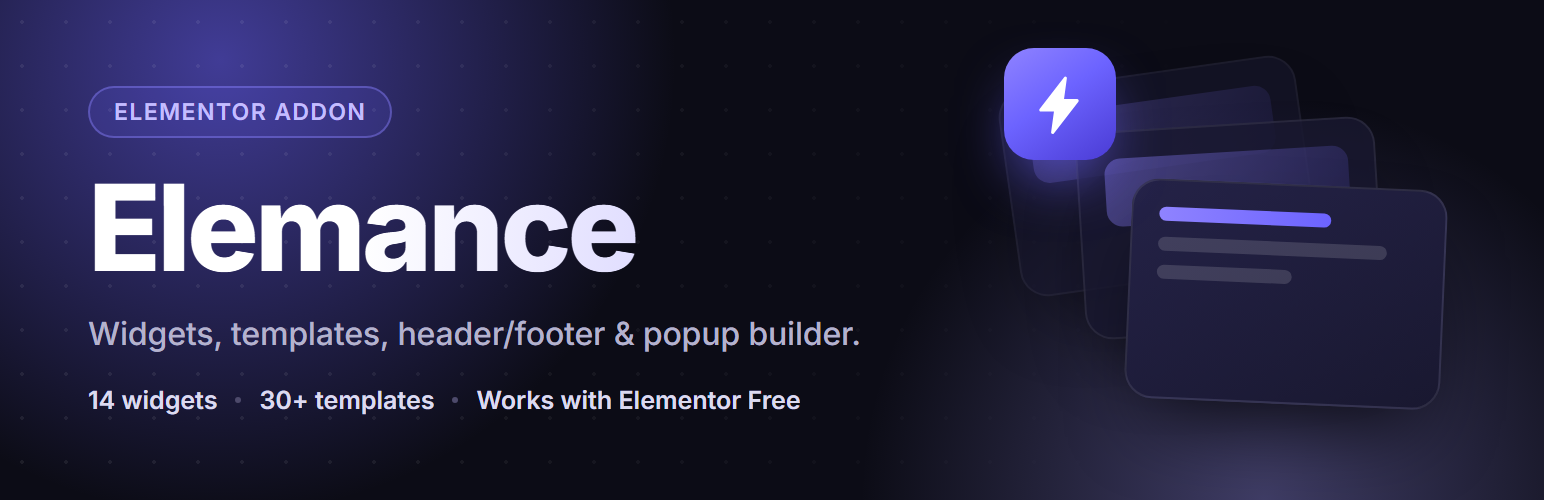
Elementor addons that work on Elementor Free: 16 widgets, 48 templates, a header footer builder and a popup builder — no Pro needed.
Building a site on Elementor Free usually means three plugins: an addon pack for extra widgets, a second plugin for a custom header and footer, and a third for popups. Elemance is all three, plus a template library, in one plugin.
What makes it different
Header/footer and popups without Elementor Pro
Elementor’s Theme Builder and Popup Builder are Pro features. Elemance gives you both on the free version — design a header, footer or popup in Elementor itself, then choose where it appears and, for popups, what triggers it. No page builder switch, no second editor to learn.
Every widget has an off switch
Turn a widget off from the dashboard and it is never registered with Elementor, and its stylesheet and script are never enqueued. Use three of the sixteen and you carry the weight of three, not sixteen.
Everything is built in the Elementor editor
Headers, footers and popups are normal Elementor documents. Whatever you already know about containers, responsive controls and global styles applies to them too.
What’s Inside
🧩 16 Custom Widgets
Marquee, Flip Card, Counter, Animated Heading, Skill Bar, Glass Card, Hotspot Image, Before/After Slider, Dual Color Heading, Pricing Table, FAQ/Accordion, Countdown Timer, Team Member, Buttons, Nav Menu, and Site Branding. Found inside the Elementor editor under the Elemance widget category.
🎨 43 Section Templates
Headers, footers, heroes, popups, testimonials, CTAs, features, pricing tables, FAQs, countdowns, contact sections, team grids, stats bars, and marquee strips — insert with one click directly inside the Elementor editor.
⚡ Header / Footer Builder
Build a fully custom header or footer with Elementor — even on Elementor Free. Works with popular themes (Hello Elementor, Astra, GeneratePress, OceanWP, Neve, Storefront) and includes a universal fallback for other themes.
🪟 Popup Builder
Create popups triggered by time delay, scroll percentage, exit intent, or click — with frequency control (once, once per session, every visit) and a clean, branded admin UI.
🚀 Performance-First Widget Manager
Don’t need all 16 widgets? Turn off the ones you don’t use from the dashboard. Disabled widgets don’t register or load any CSS/JS — keeping Elementor fast and lean.
✨ Guided Setup Wizard
A short, polished onboarding flow runs once on activation — theme compatibility check, widget selection — and never runs again on update.
How it works
- Install and activate Elemance
- Complete the short setup wizard (widgets, theme check)
- Open any page in Elementor
- Click the ⚡ Elemance button next to the Add Template icon to browse templates
- Drag any Elemance widget from the left panel onto your page
- Build a header/footer or popup from the Elemance Headers & Footers / Popups admin menu
Why Elemance?
- One plugin instead of three — widgets, templates, header/footer and popups together
- Works on Elementor Free, no Pro licence required
- Per-widget on/off control, so you only load what you actually use
- No account, no API key, no external service — everything runs on your own site
- Designs that look current rather than recycled from 2018
Image credits
The photos in the Consultation Booking page templates are CC0 (public domain) images from StockSnap and rawpixel, found through Openverse. Each file’s source is listed in assets/images/consultation-booking/CREDITS.txt.
Editorial note: This overview combines WordPress.org official plugin metadata with an AI-assisted LethaldiranMX editorial review. Plugin data should be verified on the official WordPress.org listing before installation.