

- 2026-09-01
- by LethaldiranMX
- Trends
- 0 Comments
LethaldiranMX Insight
PRESSZEUG Forensics introduces a highly pragmatic approach to WordPress security and auditing by combining real-time activity logging with retrospective database and file analysis. Unlike traditional logging tools that only begin capturing data post-installation, this plugin leverages existing database revisions, metadata, and file system timestamps to reconstruct events that occurred prior to its activation. This capability shifts the operational paradigm from passive monitoring to active incident response, making it an invaluable asset for agencies inheriting unmanaged client sites or troubleshooting sudden layout and configuration shifts.
Best Fit & Operational Role: This plugin is an exceptional fit for agency developers, site administrators, and security teams who manage complex WordPress environments, particularly those heavily reliant on Elementor. By integrating deeply with Elementor’s revision history and core WordPress metadata, it solves the critical problem of “blind-spot auditing” during post-incident investigations. It functions as a local, self-contained forensic tool that respects data sovereignty, ensuring that sensitive audit logs and user activity remain entirely on the host server without relying on third-party cloud APIs.
Potential Limitations & Pitfalls: While highly innovative, the retrospective analysis is strictly bound by the data retention policies of the host site; if WordPress revisions are disabled or database optimization tools have purged historical metadata, retrospective reconstruction will be limited. Additionally, file modification and inode-change timestamps must be treated as indicators rather than absolute proof, as routine operations like server migrations, backups, or manual SFTP uploads can alter these timestamps and mimic unauthorized file modifications. No other significant performance overhead or security risks were identified based on available information.

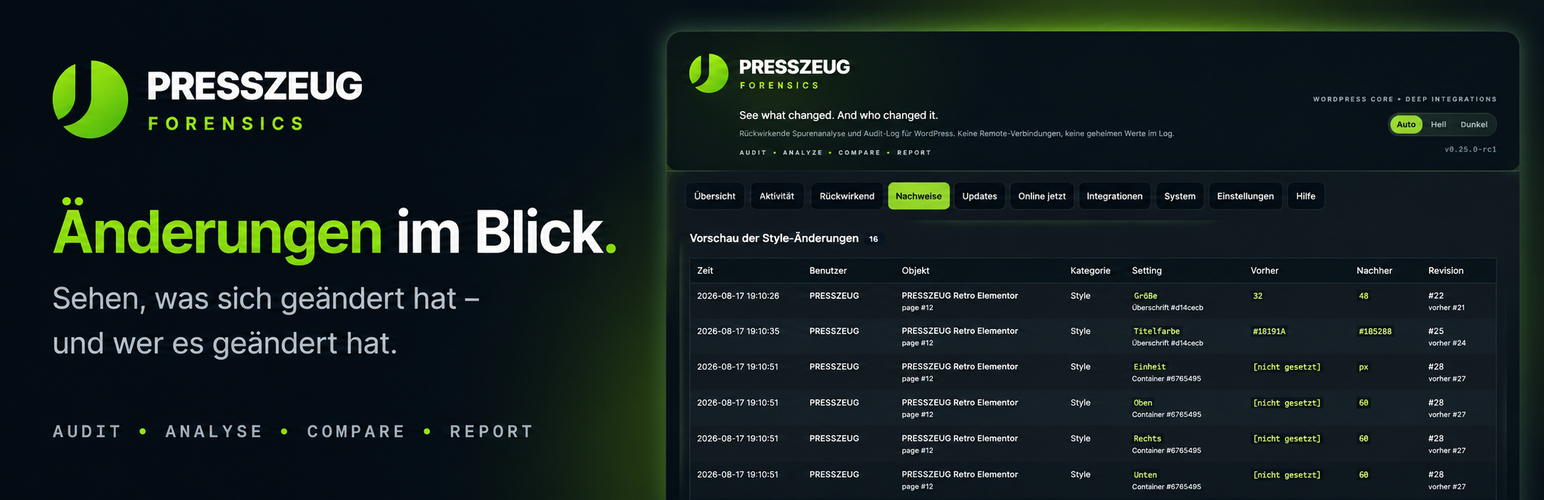
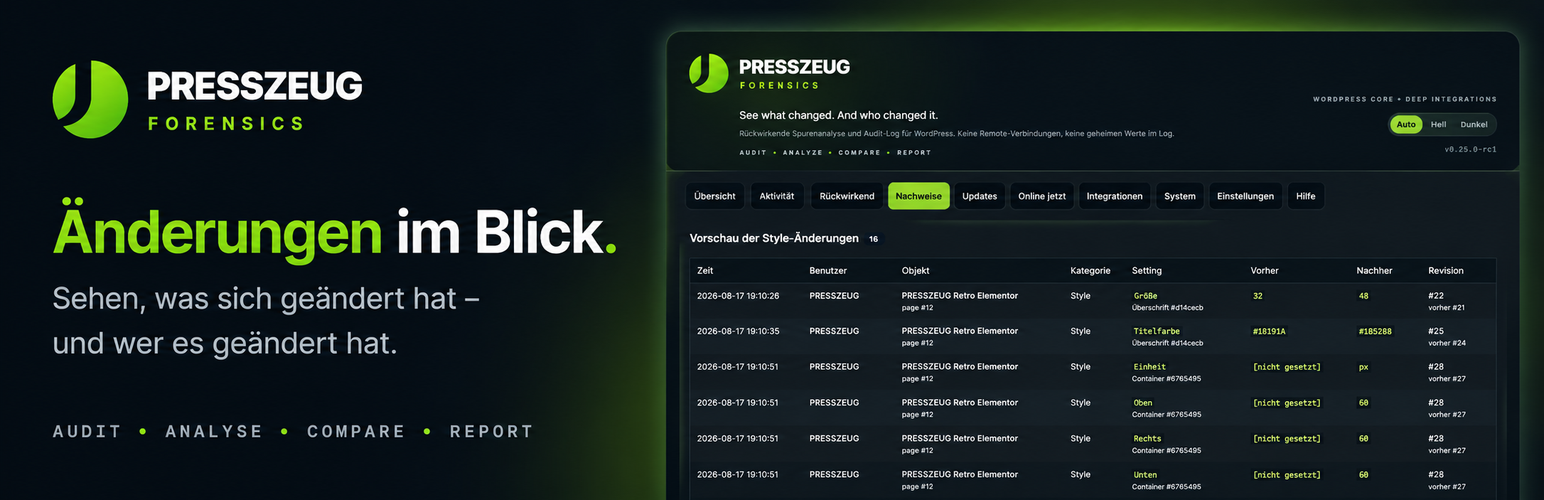
Activity log plus retrospective analysis: track new WordPress changes and investigate earlier edits using existing revisions and Elementor data.
PRESSZEUG Forensics is more than a WordPress activity log. It records meaningful changes from the moment it is activated and can also investigate earlier changes using evidence WordPress or supported editors already stored.
Traditional activity logs start recording when they are activated. PRESSZEUG Forensics can additionally examine existing WordPress and Elementor revisions, metadata, update information, and selected local file timestamps. This means an investigation can begin even after a change or incident has already happened.
Retrospective analysis is evidence-based: PRESSZEUG Forensics can only show what WordPress or a supported integration actually stored. It cannot recreate events for which no evidence exists.
The focus is on meaningful changes rather than ordinary admin navigation.
WordPress Core auditing
PRESSZEUG Forensics can record and investigate changes involving:
- Pages, posts, comments, and taxonomies.
- Users, roles, successful logins, logouts, and optional failed-login events.
- Plugin and theme activation, deactivation, deletion, installation, and updates.
- Relevant WordPress settings and revision evidence.
- Compact before/after information for supported content changes.
- A live presence view that separates recent authenticated activity from merely valid WordPress sessions.
- HTML and CSV evidence exports for selected time windows.
- Optional read-only local file timestamp analysis as an additional retrospective indicator.
Elementor deep integration
Elementor is the first optional Deep Integration and is shown only when Elementor is detected.
When available, PRESSZEUG Forensics can add field-level information about Elementor content, structure, and visual settings such as typography, colors, spacing, borders, dimensions, and responsive values. Stored Elementor revisions can also be compared retrospectively.
Elementor is not required. WordPress Core auditing continues to work when no supported editor integration is active.
Live and retrospective forensics
The live audit log records supported events from the moment PRESSZEUG Forensics is active.
Retrospective analysis is different: it examines evidence WordPress or a supported editor already stored, such as revisions, metadata, update information, and selected file timestamps. It cannot recreate actions for which no evidence exists.
File modification and inode-change times are indicators only. Restores, migrations, manual uploads, server work, and updates can create similar timestamp patterns.
Privacy and data handling
- No cloud account is required.
- Core forensic functionality does not send audit data to PRESSZEUG or another remote service.
- The live presence view does not store IP addresses.
- Passwords, submitted form contents, and complete Elementor document JSON are not stored in the audit table.
- Large values can be represented by size and SHA-256 fingerprints instead of full contents.
- CSV exports neutralize common spreadsheet-formula prefixes.
- Audit data is intentionally preserved on uninstall so forensic evidence is not destroyed accidentally.
Access follows WordPress permissions. Administrators and other users granted the corresponding administration capability can open PRESSZEUG Forensics.
Support
The built-in Help tab contains explanations for common forensic questions and a privacy-safe system-information summary for support requests.
For public support after the plugin is listed, use the PRESSZEUG Forensics support forum on WordPress.org. Product documentation and PRESSZEUG support links are also available from the plugin interface.
Editorial note: This overview combines WordPress.org official plugin metadata with an AI-assisted LethaldiranMX editorial review. Plugin data should be verified on the official WordPress.org listing before installation.