• Home
  • Services
    • Col 1
      • Tech & Analytics
      • Web Development
      • Technical Audit
      • Analytics & Tracking
    • Col 2
      • Growth Marketing
      • SEO Strategy
      • SEM & PPC
      • Social Growth
    • Col 3
      • AI & Strategy
      • Al Search (GEO)
      • SEO Content
      • Growth Consulting
    • Col 4
      • Operations & CRO
      • Conversion (CRO)
      • AI Automation
      • Full-stack Ops
  • Projects
    • Strategies
    • Plugins
    • Extensions
    • Creatives
  • Insights
  • About
  • Contact
  • Chinese
    • English
FREE ANALYSIS
  • Home
  • Services
    • Col 1
      • Tech & Analytics
      • Web Development
      • Technical Audit
      • Analytics & Tracking
    • Col 2
      • Growth Marketing
      • SEO Strategy
      • SEM & PPC
      • Social Growth
    • Col 3
      • AI & Strategy
      • Al Search (GEO)
      • SEO Content
      • Growth Consulting
    • Col 4
      • Operations & CRO
      • Conversion (CRO)
      • AI Automation
      • Full-stack Ops
  • Projects
    • Strategies
    • Plugins
    • Extensions
    • Creatives
  • Insights
  • About
  • Contact
  • Chinese
    • English
FREE ANALYSIS
  • Home
  • Services
    • Col 1
      • Tech & Analytics
      • Web Development
      • Technical Audit
      • Analytics & Tracking
    • Col 2
      • Growth Marketing
      • SEO Strategy
      • SEM & PPC
      • Social Growth
    • Col 3
      • AI & Strategy
      • Al Search (GEO)
      • SEO Content
      • Growth Consulting
    • Col 4
      • Operations & CRO
      • Conversion (CRO)
      • AI Automation
      • Full-stack Ops
  • Projects
    • Strategies
    • Plugins
    • Extensions
    • Creatives
  • Insights
  • About
  • Contact
  • Chinese
    • English

Docswrite – Export Google Docs to Your Site ✨

  • Home
  • Trends
  • Docswrite – Export Google Docs to Your Site ✨
Docswrite – Export Google Docs to Your Site ✨
  • 2026-06-02
  • by LethaldiranMX
  • Trends
  • 0 Comments
Docswrite – Export Google Docs to Your Site ✨
LethaldiranMX Insight

Docswrite addresses a classic editorial bottleneck by bridging the gap between Google Docs collaborative writing environments and the WordPress block editor. For content-heavy operations and multi-author editorial teams, this integration eliminates the tedious, error-prone process of manual copy-pasting, image re-uploading, and formatting cleanup. By handling complex elements like Advanced Custom Fields and major SEO plugin metadata during the export process, it transforms WordPress from a manual publishing destination into an automated endpoint for structured content pipelines.

Best Fit & Operational Role: This plugin is an ideal fit for high-volume editorial teams, digital publishers, and agencies running programmatic SEO campaigns who use Google Docs as their primary drafting and collaboration suite. Within the WordPress stack, it acts as a secure API bridge, offloading the heavy lifting of document parsing and image optimization to the Docswrite SaaS platform. It solves the operational overhead of content migration, ensuring that formatting, metadata, and custom fields are populated consistently without manual developer or editor intervention.

Potential Limitations & Pitfalls: Because this plugin functions as a connector to an external SaaS platform, its operational viability is entirely dependent on the Docswrite service availability, API uptime, and subscription terms beyond the initial five free exports. Organizations with strict data sovereignty requirements must evaluate the security implications of routing draft content through a third-party intermediary. Additionally, while the plugin simplifies the publishing pipeline, troubleshooting formatting discrepancies or sync failures requires debugging across both the WordPress application layer and the external Docswrite dashboard.

Docswrite – Export Google Docs to Your Site ✨ icon

Plugin Specification

WordPress.org Official Data

Developer docswrite
Version v1.2.27
Active Installs 100 +
Requires / Tested 3.5.0 / 6.7.5
Last Updated 2026-06-02 4:01am GMT
Official Link View Details ->
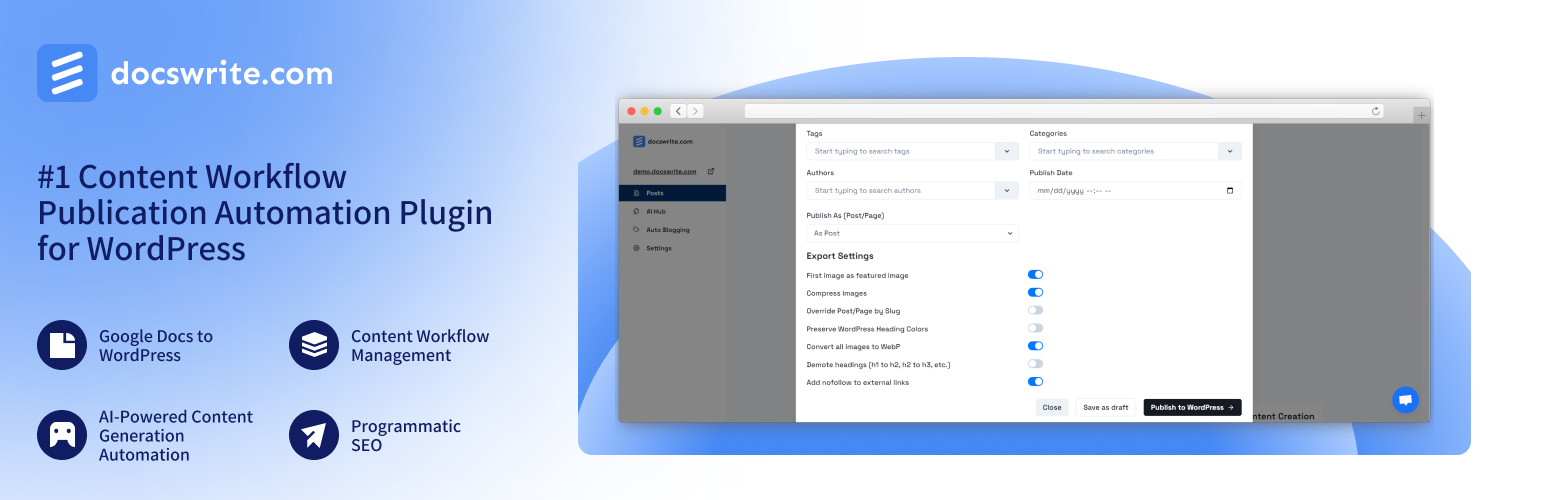
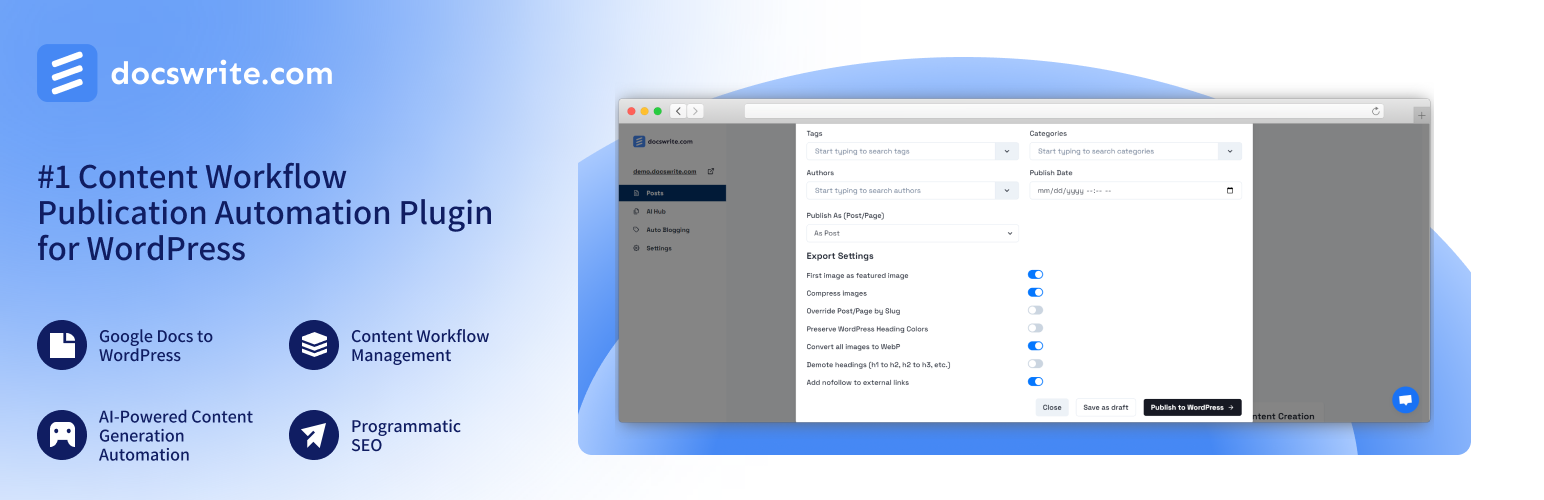
Effortlessly publish Google Docs to WordPress, preserving formatting and structure for a streamlined content workflow

Docswrite is a powerful tool for editorial and content teams. It automates and optimizes content publication, making it easier for teams to manage and publish content consistently. Whether you’re editing blog posts, articles, or any other type of content, Docswrite integrates seamlessly with your WordPress site to enhance your content management workflow.

This plugin allows you to connect your WordPress website to Docswrite, a platform offering seamless content transformation from Google Docs to WordPress. With this integration, website owners can save hundreds of hours per month by simplifying the content distribution process.

Join hundreds of content teams that use Docswrite! Interested to know the difference between us and our competitors? Check out the full details and insights from each challenge on our blog:

🏆 Docswrite vs. Competitors: In-Depth Comparisons

Discover how Docswrite stacks up against other solutions:

  • Docswrite vs. Wordable
  • Docswrite vs. Cloudpress
  • Docswrite vs. Tenwrite

Want to see these comparisons in action? Check out our YouTube channel for visual breakdowns:

  • Docswrite vs. Wordable (Video)
  • Docswrite vs. Cloudpress (Video)
  • Docswrite vs. Tenwrite (Video)

🌟 Features

  • Bulk Publish: Import multiple documents at once for efficient content management.
  • Content Workflow Management: Create and manage content workflows with collaborative features, allowing multiple users to work together efficiently.
  • Programmatic SEO: Create and optimize a large number of unique, high-quality web pages at scale.
  • AI-Powered Content Generation Automation: Generate and publish automatically high-quality, SEO-optimized content, ensuring your posts are optimized for search engines without extra effort.
  • Enhanced Security: Protect your content with advanced security features and user management controls by securely keeping your website ID.
  • Free Trial: Get 5 free exports to try out all features without any commitment.
  • ACF Support: Update ACF fields for posts created by Docswrite.
  • Rankmath and Yoast SEO Support: Update Rankmath and Yoast SEO fields for posts created by Docswrite.
  • Newspack SEO Support: Update Newspack SEO fields for posts created by Docswrite.

📦 Installation

  1. Activate the plugin from the Plugins menu in your WordPress admin panel.

  2. Have an account at Docswrite.

🛠️ How Does it Work?

  1. After Docswrite is activated, click on “Connect” and you will be redirected to Docswrite.

  2. If you have an account with Docswrite, your website will be automatically registered. If not, you will be redirected to the signup page.

  3. Once connected, go to the Docswrite dashboard and start your publishing journey.

  4. Happy publishing!

💬 Support

For support or inquiries, please visit Docswrite Support or contact us at [email protected]

How it works

  1. After installation and activation of the plugin, this is the screen you see. The Website ID represents a secret that will be used to connect with Docswrite
  2. After clicking on ‘Connect’ you will be redirected to Docswrite – you need to be logged in to Docswrite
  3. If you don’t have an account with Docswrite, you will be redirected to the sign up page
  4. Your site will be added to Docswrite dashboard
  5. You are successfully connected
  6. Now, you can publish content using Docswrite ✨
Editorial note: This overview combines WordPress.org official plugin metadata with an AI-assisted LethaldiranMX editorial review. Plugin data should be verified on the official WordPress.org listing before installation.

  • AI,
  • automated publishing,
  • content management,
  • google docs,
  • SEO,
  • wordpress plugin
Previous Post

WPHI Diagnostic Suite Lite

Next Post

DailyBkup

Leave a Comment 取消回复

您的邮箱地址不会被公开。 必填项已用 * 标注

Categories

  • Thoughts (1)
  • Trends (1,232)
  • Tutorials (1)

Recent Posts

2026-10-04
Uplink Analytics Dashboard for Cabin
2026-10-03
FDesign Withdrawal Button for WooCommerce
2026-10-02
PW WooCommerce BOGO
2026-10-02
Albertoit Client Management for Coaches
2026-10-02
PerseiaThink Accessibility Audit for EAA

归档

  • 2026 年 10 月
  • 2026 年 9 月
  • 2026 年 8 月
  • 2026 年 7 月
  • 2026 年 6 月
  • 2026 年 5 月
  • 2026 年 4 月

标签

accessibility admin AI analytics automation backup blocks booking calendar chat chatbot checkout contact form contact form 7 content customer support delivery ecommerce elementor forms GDPR GEO gutenberg lead generation live chat llms.txt login openai optimization payment gateway performance popup privacy products Schema security SEO shipping shortcode support tracking whatsapp widget woocommerce wordpress plugin
  • shape1
  • shape2
  • shape3
  • shape4
  • shape5
  • shape6
  • shape7

Newsletter SignUp!

    About Us

    GROWTH,ARCHITECTED.
    Empowering global brands through data-driven SEO, high-performance web development, and AI-forward strategies.

    Information

    • Extensions
    • Strategies
    • Creatives
    • Plugins

    Services

    • AI & Strategy
    • Growth Marketing
    • Operations & CRO
    • Tech & Analytics

    Office Address

    • Nan'an District, Chongqing
    • +86-133-1028-2690
    • [email protected]
    • +86-133-1028-2690
    © Copyright AEOSUB 2026 | Digital Growth & Full-stack Operations
    • Home
    • About
    • Case Study
      • Case Study 1
      • Case Study 2
      • Case Study 3
      • Case Study 4
      • Case Study 5
    • Elements
      • Blog
        • Blog Post 1
        • Blog Post 2
        • Blog Post 3
        • Blog Post 4
        • Blog Post 5
        • Blog Post 6
      • Service
        • Service Gallery 1
        • Service Gallery 2
        • Service Gallery 3
        • Service Gallery
        • Service Gallery 5
      • Team
        • Team Gallery 1
        • Team Gallery 2
        • Team Gallery 3
      • Testimonial
        • Testimonial – 1
        • Testimonial – 2
        • Testimonial – 3
      • Contact Info Box
        • Contact Info Box 1
        • Contact Info Box 2
      • Info Box
        • Info Box 1
        • Info Box 2
        • Info Box 3
      • Miscellaneous
        • Brand Showcase
        • Counter 1
        • Progress Bar
        • Progress Box Image
        • Radius Button
        • Section Title Subtitle
      • Pricing
        • Pricing Plan 1
        • Pricing Plan 2
        • Pricing Plan 3
        • Pricing Plan 4
        • Pricing Plan 5
    • Pages
      • Service
        • Service Archive
      • Case Study
        • Case Study Archive
        • Single Case Study 1
        • Single Case Study 2
        • Single Case Study 3
      • Team
        • Team Gallery 1
        • Team Gallery 2
        • Team Gallery 3
      • Typography
      • 404 Error
    • Blog
      • Blog 1
      • Blog 2
      • Blog 3
    • Contact
    Follow Us
    FREE ANALYSIS
    • Home
    • Services
      • Col 1
        • Tech & Analytics
        • Web Development
        • Technical Audit
        • Analytics & Tracking
      • Col 2
        • Growth Marketing
        • SEO Strategy
        • SEM & PPC
        • Social Growth
      • Col 3
        • AI & Strategy
        • Al Search (GEO)
        • SEO Content
        • Growth Consulting
      • Col 4
        • Operations & CRO
        • Conversion (CRO)
        • AI Automation
        • Full-stack Ops
    • Projects
      • Strategies
      • Plugins
      • Extensions
      • Creatives
    • Insights
    • About
    • Contact
    • Chinese
      • English
    Follow Us